 Skoop Filters
One unified list
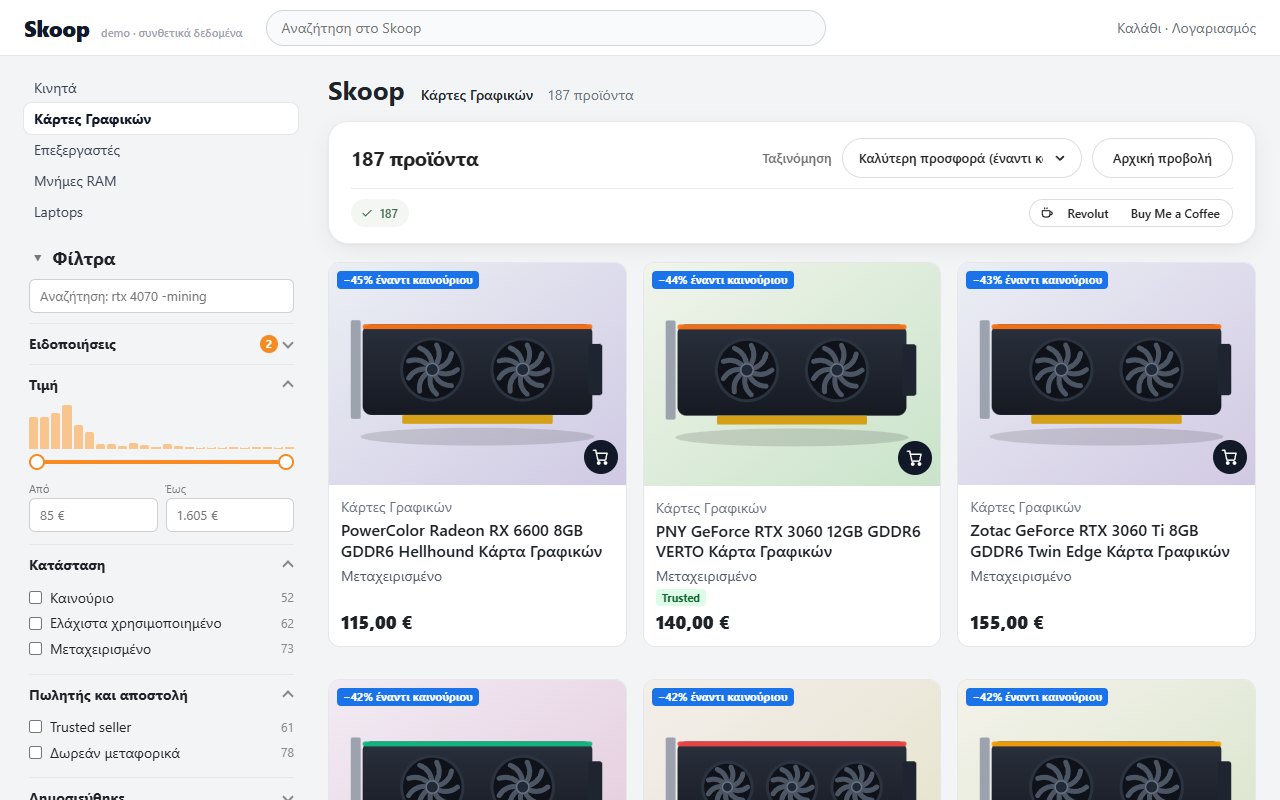
Loads every page of the listing (up to 40) at a gentle pace and shows them together. The cards are the real Skoop cards, add-to-cart button included.
All pages of a listing in one list, filters built automatically from the listing text, and a notification when what you are looking for shows up at the price you want.
Unofficial tool, not affiliated with Skroutz. Screenshots show synthetic data. The Skoop site itself is in Greek.
Skoop shows 48 listings per page with very few filters. Skoop Filters adds what you need to find a good second-hand deal quickly.
Loads every page of the listing (up to 40) at a gentle pace and shows them together. The cards are the real Skoop cards, add-to-cart button included.
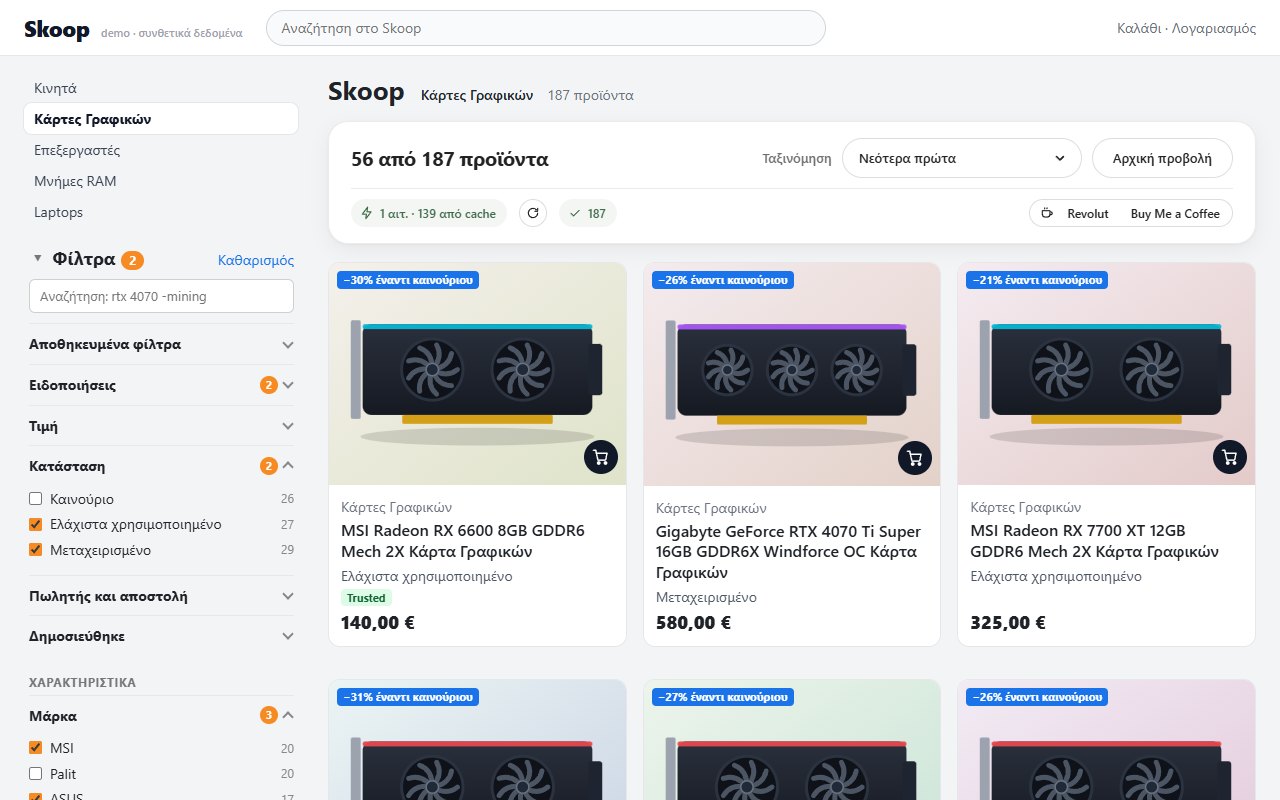
Brand, model, memory, capacity, size: built automatically from titles and each listing’s specs. Every option shows how many results it would give.
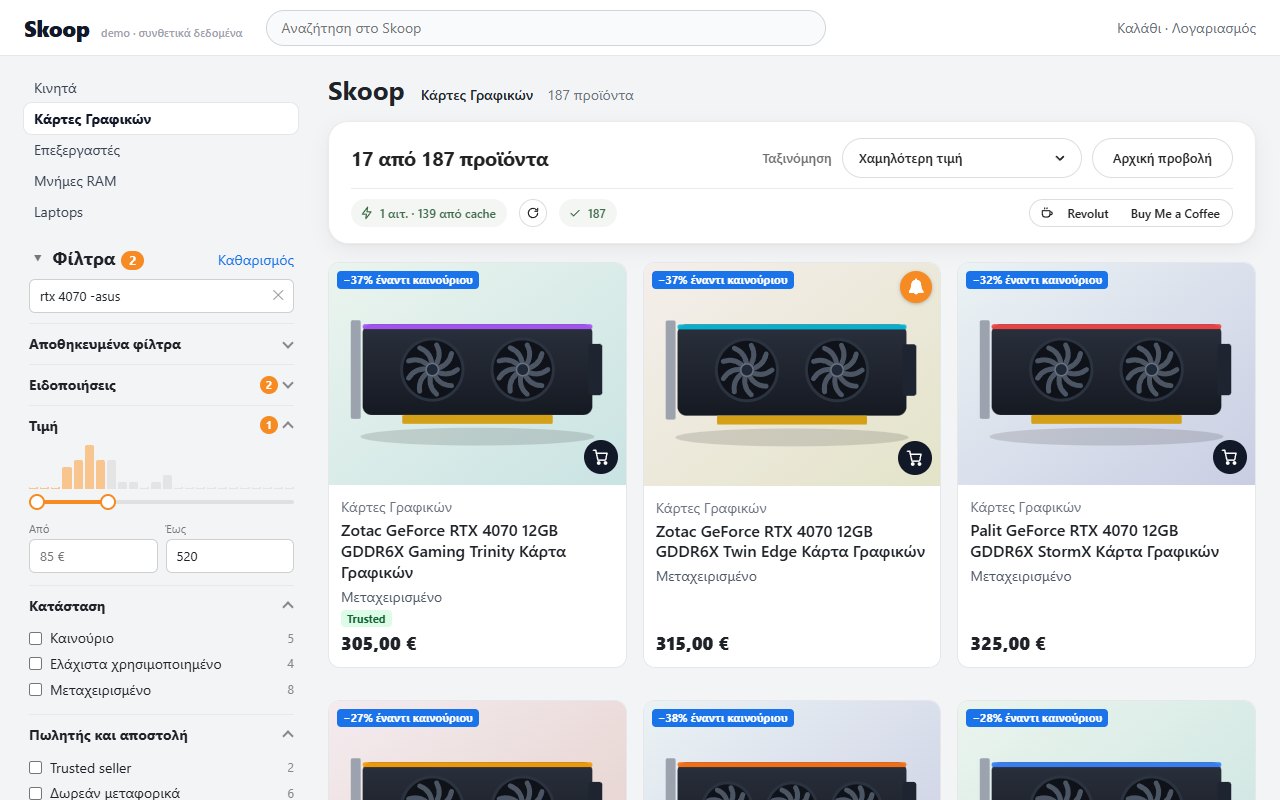
Type rtx 4070 -mining "low profile" /regex/: what must be there and what you do not want to see, plus a price range with a histogram.
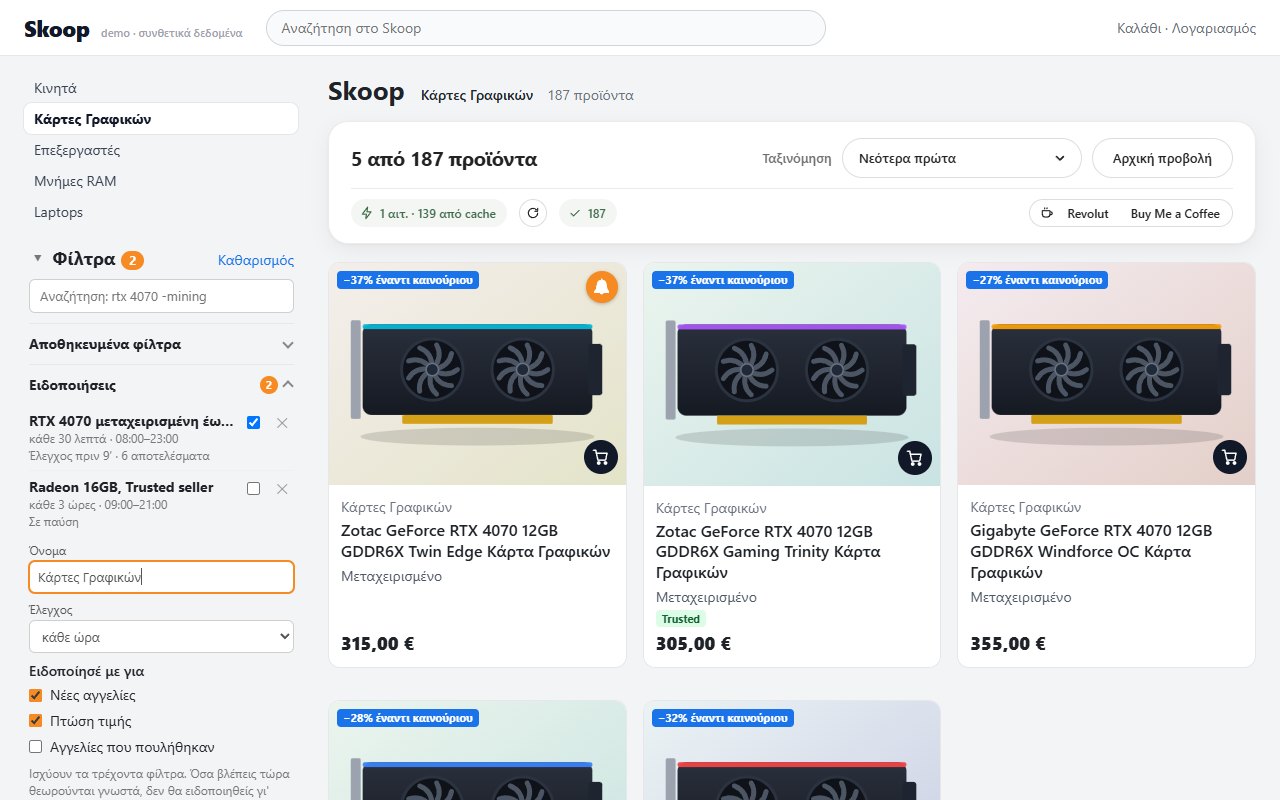
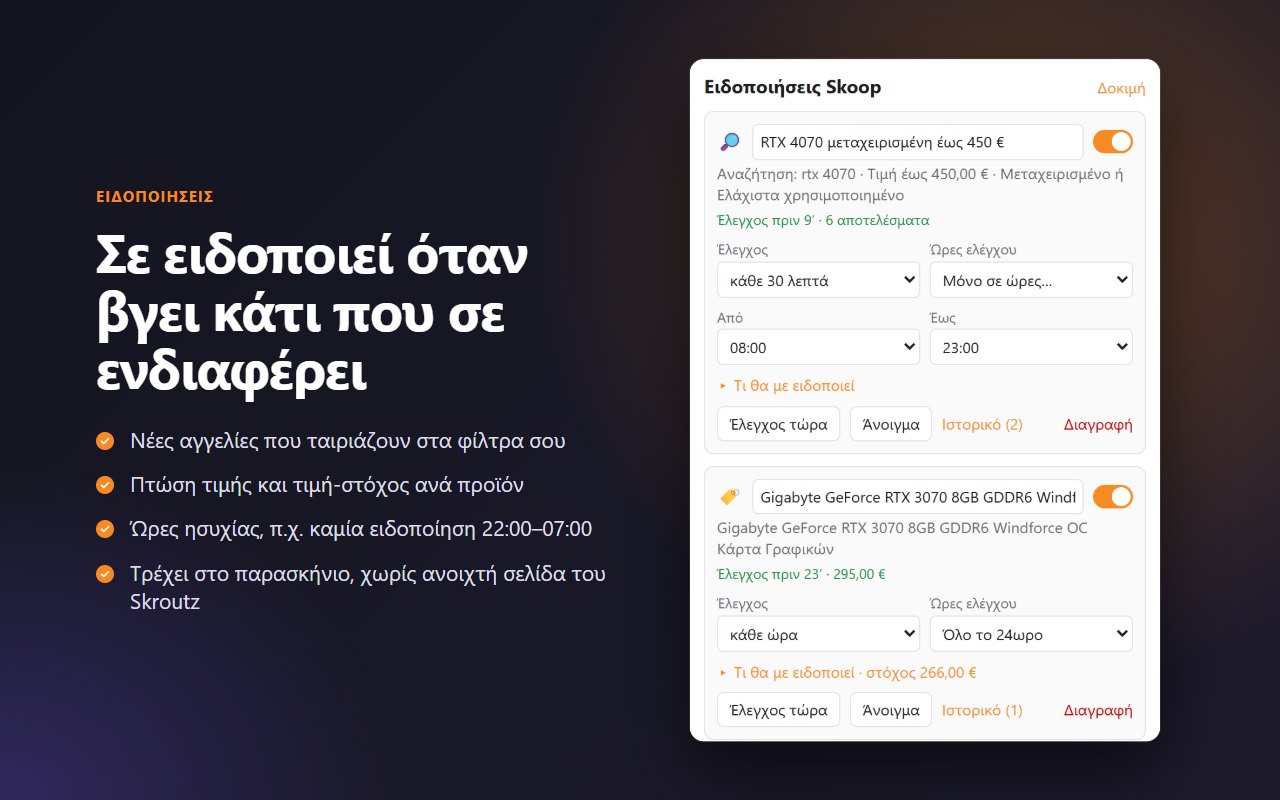
New listings that match your filters, price drops, target prices and sold items. With your own check interval and quiet hours.
New since your last visit, ↓ price drop, −X% vs new, € per GB, and the publication date of each listing.
The filter state lives in the URL, so you can bookmark it or send it to a friend. Saved filters per listing.
The real extension UI on a demo Skoop with synthetic listings.
Start from the best deals or the latest price drop, without flipping pages.
The extension reads titles, descriptions and specs and suggests filters for each category.
Terms that must match, terms to exclude, and a price range with a histogram.
Hit “Notify me” with your current filters, or the 🔔 on a specific listing.
The generic engine works everywhere. Profiles add what statistics cannot discover: game platform, clothing sizes, Pokémon set, socket and chipset.
No setup needed.
From the Chrome Web Store or Firefox Add-ons (Firefox 128 or newer).
The filter sidebar and the unified list appear automatically.
Save your filters or let the extension check for you in the background.
There is no server, account, analytics or ads. Settings, saved filters and notifications stay in your browser storage, and the only network traffic is requests to www.skroutz.gr.
Crawling is deliberately conservative: 2 parallel requests with random jitter, backoff on 429, a pause after 3 consecutive blocks and a single crawler for all tabs. The extension does not try to solve CAPTCHAs or bypass anti-bot measures.
No. It is an independent open-source extension and is not affiliated with Skroutz. The Skroutz name is used only to say which service the extension works with.
No. It is free and there is no account. If it helps you, you can support development voluntarily.
Access to www.skroutz.gr only (to run on Skoop and check listings), storage (settings and cache), alarms and notifications (for alerts). On Chrome also an offscreen document to parse pages in the background. Nothing else.
The extension is designed to be conservative and pauses when Skroutz limits requests, but there is no guarantee that a verification or limit will never be requested. It does not try to bypass CAPTCHAs or anti-bot measures.
Not at the moment: it is designed for desktop (Chrome and Firefox 128+).
No. They run while the browser is open, without needing a Skroutz tab. When the browser starts, missed checks are caught up.
MV3 host permissions can be optional on Firefox: press the button in the popup (or about:addons → the extension → Permissions) to allow access to skroutz.gr.
Open an issue on GitHub or email vasilispapg@outlook.com.
If the extension helps you, you can support development with a coffee. It is entirely optional.